 audilang●com
Truy cập học tiếng Anh chỉ bằng 1 cú chạm
Get instant access to your English learning journey with just one tap
Accede instantáneamente a tu aprendizaje de inglés con un solo toque
Để việc học diễn ra thuận tiện nhất—dù bạn đang trên xe bus, tàu điện, hay đang làm việc nhà—hãy đưa Audilang ra màn hình chính điện thoại để truy cập chỉ bằng 1 cú chạm.
📌 Lưu ý: Thao tác này giúp bạn biến website thành một ứng dụng ngay trên điện thoại mà không cần tải qua App Store hay Google Play.
To make learning as convenient as possible—whether you're on the bus, train, or doing housework—add Audilang to your phone's home screen for 1-tap access.
📌 Note: This process turns the website into an app right on your phone without needing to download from the App Store or Google Play.
Para que el aprendizaje sea lo más conveniente posible—ya sea en el autobús, tren o haciendo tareas del hogar—agrega Audilang a la pantalla principal de tu teléfono para acceso con 1 toque.
📌 Nota: Este proceso convierte el sitio web en una aplicación directamente en tu teléfono sin necesidad de descargar desde App Store o Google Play.
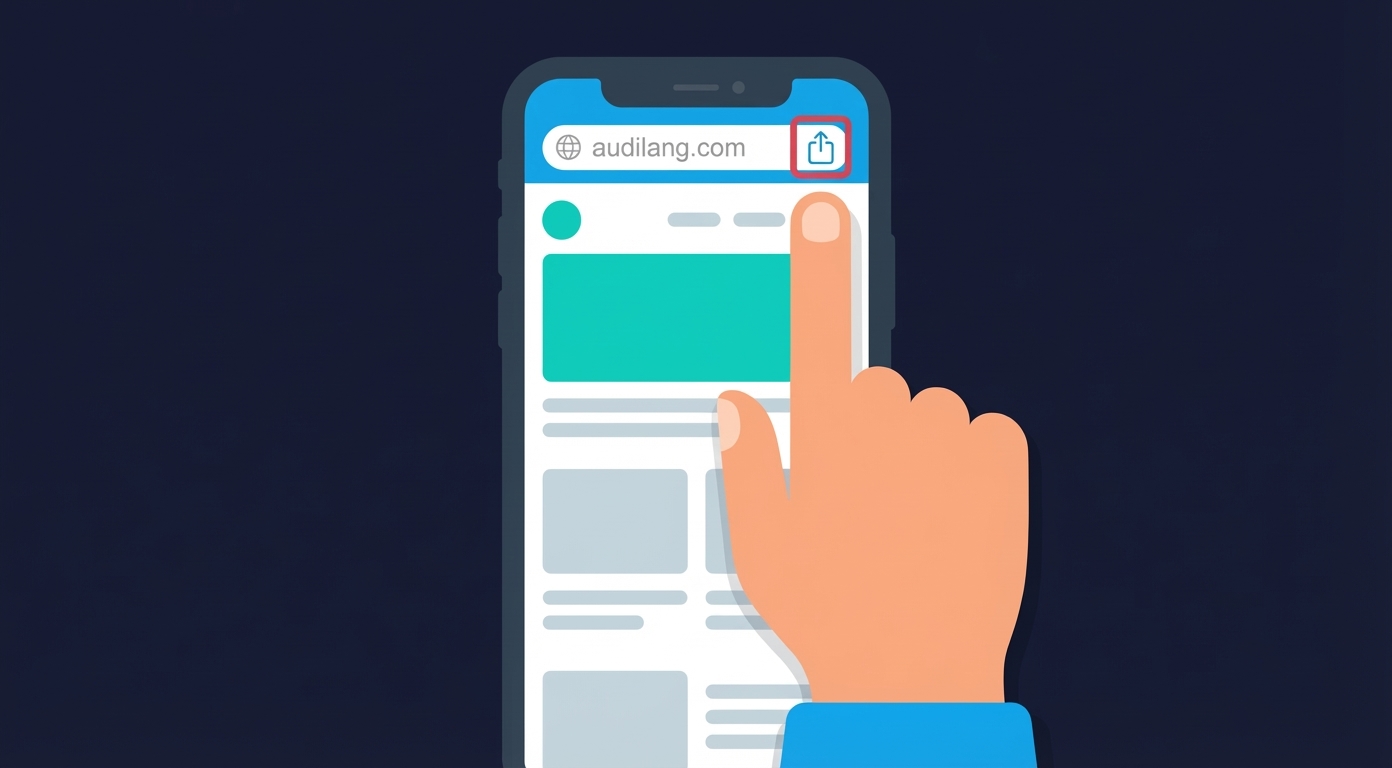
Truy cập vào audilang.com trên trình duyệt của điện thoại. Tại thanh địa chỉ (Address Bar), bạn hãy tìm và bấm chọn vào biểu tượng Share (Chia sẻ).
Visit audilang.com on your phone's browser. In the address bar, find and tap the Share icon.
Visita audilang.com en el navegador de tu teléfono. En la barra de direcciones, encuentra y toca el ícono de Compartir.
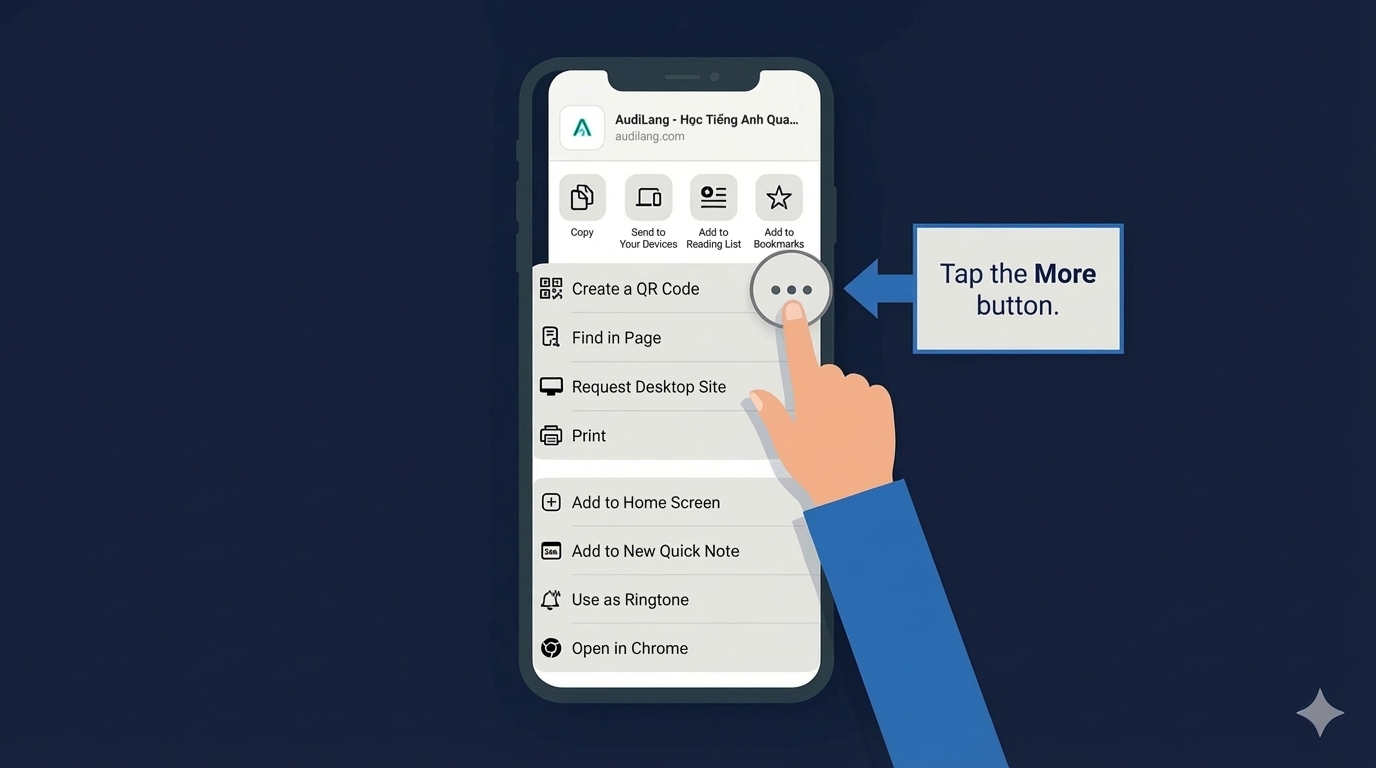
Sau khi bấm nút Share, một bảng menu sẽ hiện ra. Nếu chưa thấy tùy chọn cần thiết, bạn hãy tìm và bấm chọn More (hoặc kéo danh sách xuống dưới/sang ngang tùy dòng máy) để xem thêm các tác vụ.
After tapping Share, a menu will appear. If you don't see the option you need, tap More (or scroll down/across depending on your device) to see additional actions.
Después de tocar Compartir, aparecerá un menú. Si no ves la opción que necesitas, toca Más (o desplázate hacia abajo/lateral según tu dispositivo) para ver acciones adicionales.
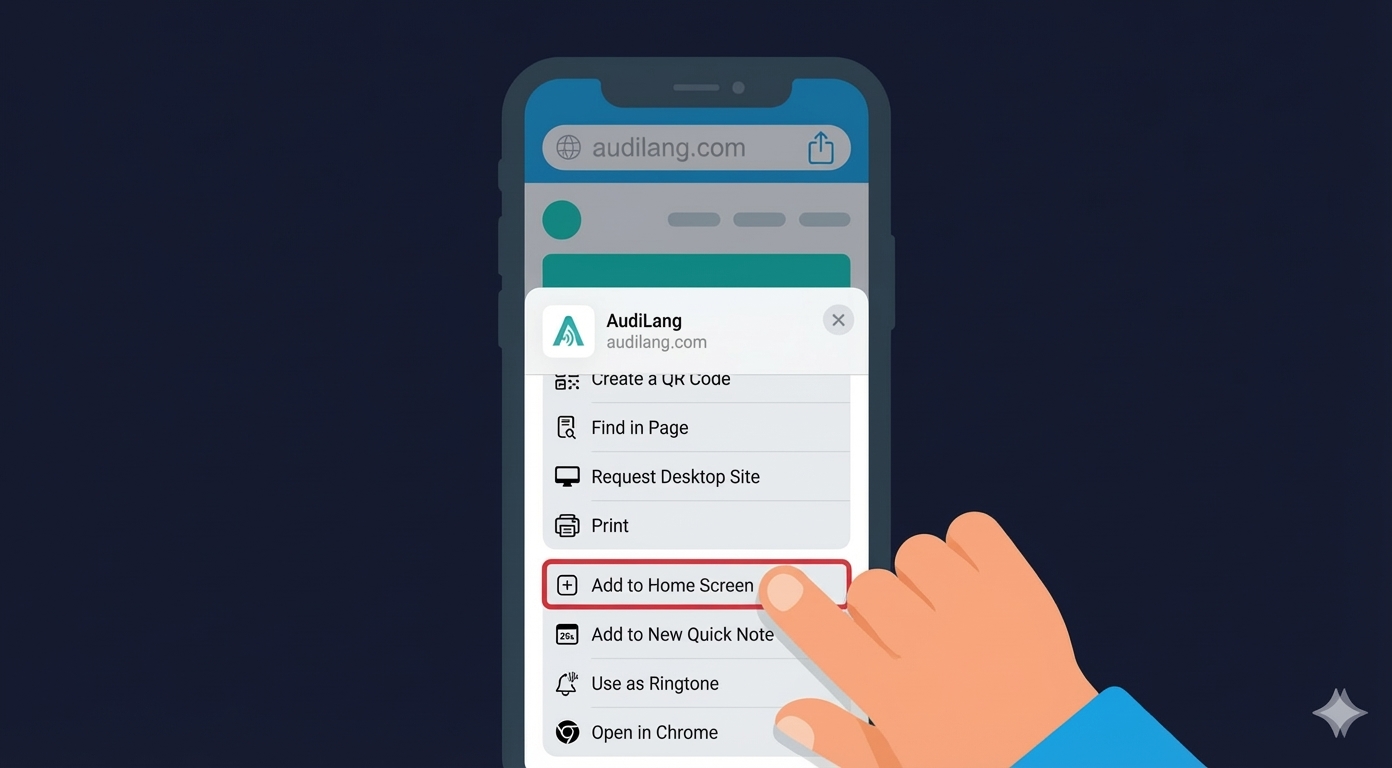
Tại danh sách các tính năng, bạn tìm và bấm vào dòng Add To Home Screen (Thêm vào Màn hình chính). Một hộp thoại sẽ hiện ra để bạn xác nhận tên hiển thị (bạn có thể để là "Audilang").
In the features list, find and tap Add to Home Screen. A dialog box will appear for you to confirm the display name (you can keep it as "Audilang").
En la lista de funciones, encuentra y toca Añadir a Pantalla de Inicio. Aparecerá un cuadro de diálogo para confirmar el nombre (puedes dejarlo como "Audilang").
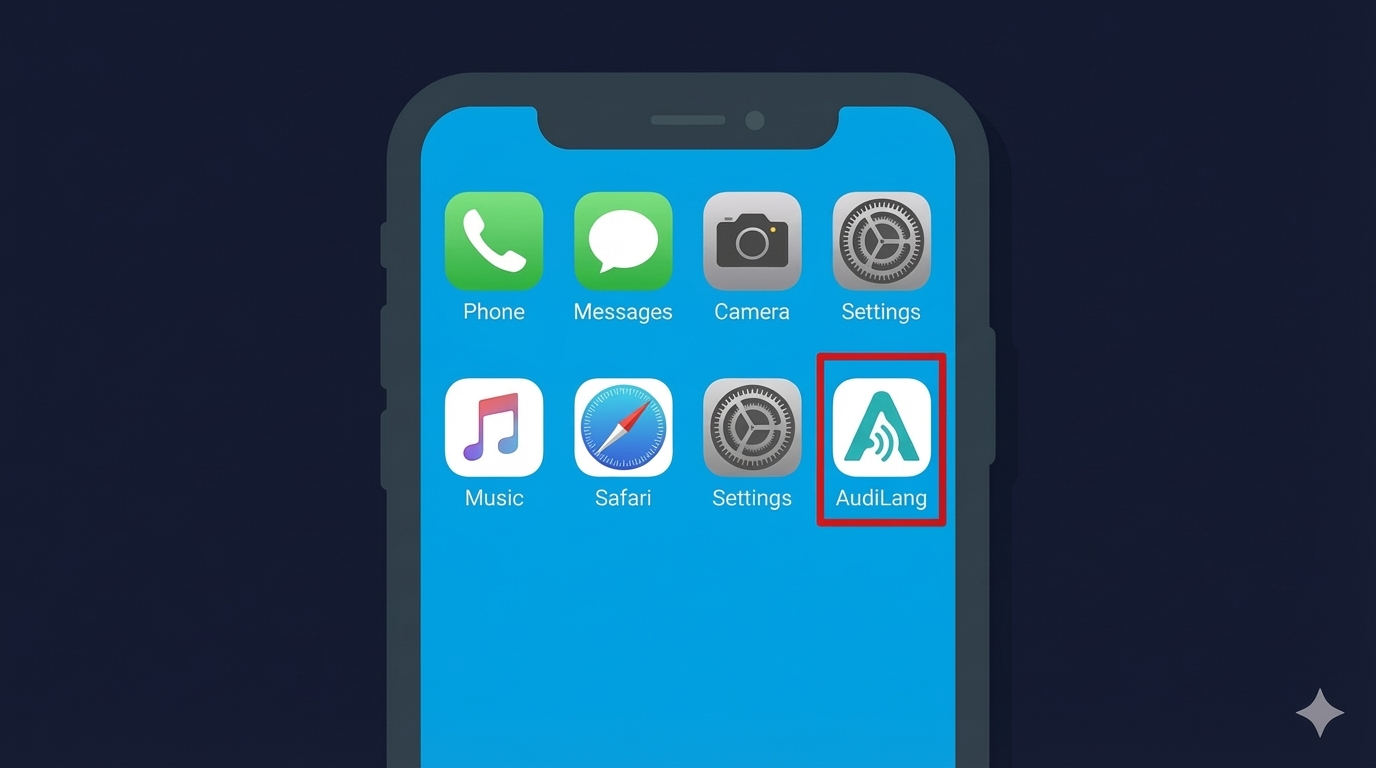
Chúc mừng bạn! Shortcut của Audilang đã xuất hiện ngay trên màn hình điện thoại.
Congratulations! The Audilang shortcut now appears right on your phone's home screen.
¡Felicitaciones! El acceso directo de Audilang ahora aparece en la pantalla de inicio de tu teléfono.